jal
| ← Reports | Contents | Next: Settings and maintenance → |
11. Tax reports
JAL is not a tax adviser and neither is this manual. What follows describes the buttons and the files they produce. Whether the figures are the ones your tax office wants, and how they should be declared, is between you and the rules of your country — check the result before you file it.
JAL can prepare investment tax figures for Portugal and Russia, from the operations on one investment account for one calendar year.
What it produces
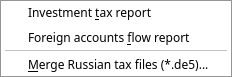
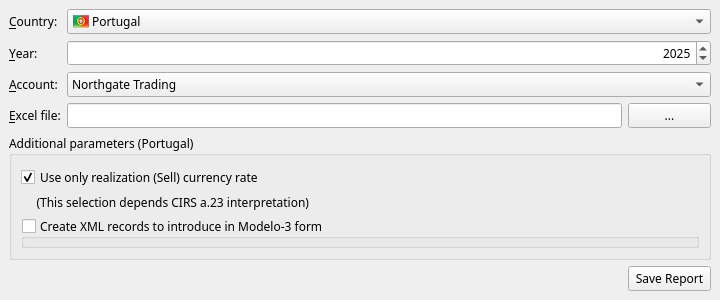
Tax → Investment tax report:
| Field | What to set |
|---|---|
| Country | Portugal or Russia |
| Year | The tax year. Defaults to last year, which is usually the one being declared. |
| Account | The investment account. Only accounts with operations in that year are offered. |
| Excel file | Where to write the detailed report. |
Press Save Report and JAL writes a spreadsheet with one sheet per kind of income — trades, dividends, coupons, corporate actions, fees — each line showing the amounts in the account’s currency, the exchange rate used, and the amount in the tax currency. It is meant to be readable: an inspector (or you, next year) can follow every figure back to the operation it came from.
The country options
Portugal
- Use only realization (Sell) currency rate — value the whole deal at the exchange rate of the sale, rather than converting purchase and sale each at its own rate. Which is right depends on how article 23 of the CIRS is read; JAL offers both and takes no side.
- Create XML records to introduce in Modelo-3 form — also write an XML file that can be loaded into the Modelo 3 declaration.
Russia
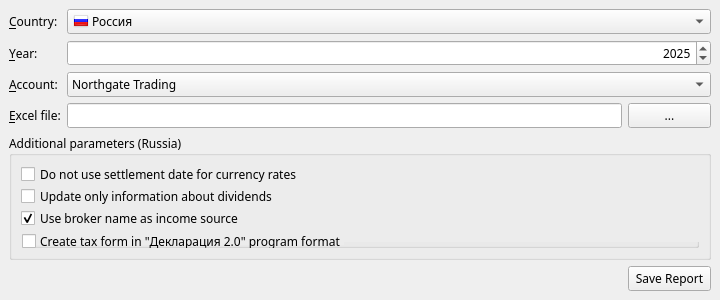
- Do not use settlement date for currency rates — take rates from the trade date instead of the settlement date.
- Update only information about dividends — fill in the dividend sections of the declaration only.
- Use broker name as income source — name the broker, rather than the issuer, as the source of income.
- Create tax form in “Декларация 2.0” program format — also write a declaration file for the
official program (its extension carries the year:
.de5for 2025,.de6for 2026).
Money flow report (Russia)
Tax → Foreign accounts flow report produces the report on movements of money through a foreign account that Russian residents must file:
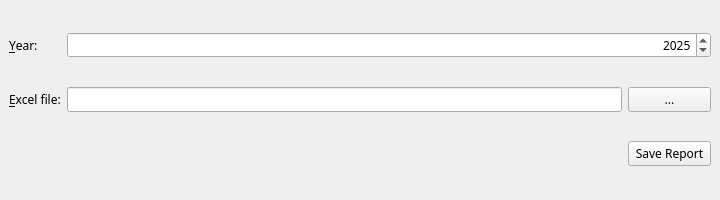
Choose the year, choose where to save the spreadsheet, press Save Report.
Merging declaration files
Tax → Merge Russian tax files (*.de5) joins several .de5 declaration files into one — for when
different sources of income were prepared separately and have to be filed together. Add the files
with +, name the output file, press OK.
Before you file anything
- Download prices and rates for the whole year first. Every conversion uses a rate JAL has stored; a missing rate is a wrong figure. See chapter 9.
- Check that the account reconciles. If JAL’s closing balance matches your broker’s, the underlying data is probably complete.
- Check the corporate actions. JAL refuses to build the ledger past a corporate action whose cost shares do not add up to 100 %, and a wrong split of cost quietly produces a wrong profit — see chapter 6.
- Read the log after producing the report.
For Interactive Brokers there is a detailed, step-by-step example (in Russian) of preparing a Russian declaration, in the project repository: docs/ru-tax-3ndfl/taxes.md.
| ← Reports | Contents | Next: Settings and maintenance → |